
Imagine never having to guess if your fish tank is too hot or too cold again. With Wi-Fi connected aquarium thermometers, you get real-time updates right on your phone.
This means you can keep your aquatic friends safe and comfortable no matter where you are. If you care about your aquarium, this smart tool will change how you manage it. Keep reading to discover how these devices work and why they’re a must-have for every aquarium owner like you.
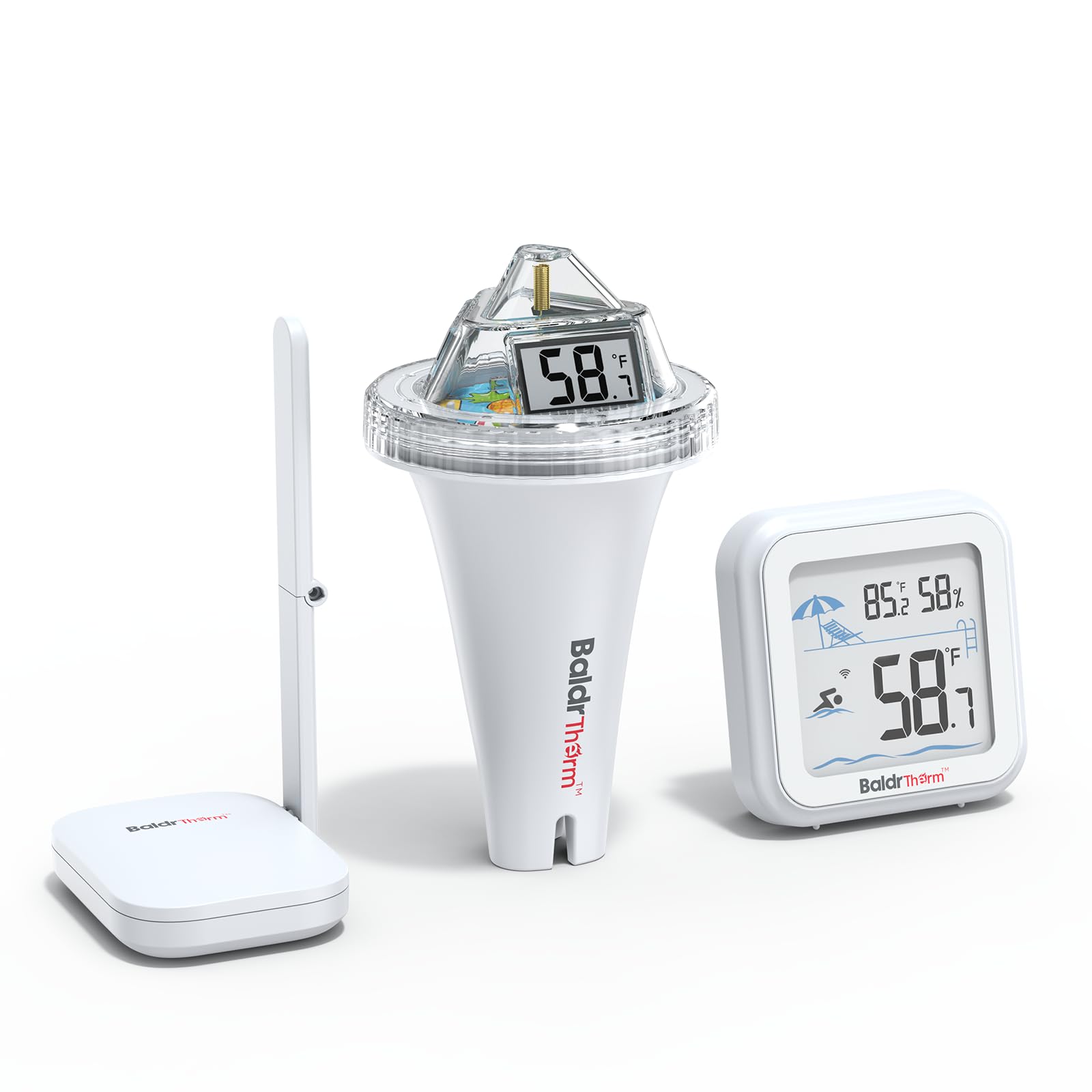
Credit: www.amazon.com
Benefits Of Wi-fi Aquarium Thermometers
Wi-Fi aquarium thermometers let you check your tank’s temperature anytime. They connect to the internet for easy access.
These devices help keep your fish safe by providing accurate temperature data. They make aquarium care simple and stress-free.
Real-time Temperature Tracking
Wi-Fi thermometers show the tank temperature in real-time. You can see changes as they happen on your phone or tablet.
This helps you keep the water at the right temperature for your fish. It prevents sudden temperature shocks that can harm them.
Remote Monitoring Convenience
You can check your aquarium temperature from anywhere. This means no need to be near the tank to know its status.
Remote monitoring lets you care for your aquarium while at work or on vacation. It saves you time and worry.
Alerts And Notifications
Wi-Fi thermometers send alerts if the temperature goes too high or low. You get notified immediately to fix the problem.
- Instant warnings help protect your fish
- Alerts keep you informed even when away
- Easy to set custom temperature ranges
Energy Efficiency And Cost Savings
Monitoring temperature closely helps you use heaters wisely. You avoid wasting energy by keeping the tank at the right heat.
Energy savings lower electricity bills. Proper temperature control also extends the life of your aquarium equipment.
Key Features To Look For
Wi-Fi connected aquarium thermometers help you watch your fish’s water temperature from anywhere. They keep your tank safe by giving real-time data on your phone or tablet.
Choosing the right thermometer means checking certain features. These features make sure the thermometer works well and is easy to use.
Accuracy And Range
The thermometer must measure temperature accurately to protect your fish. It should show the correct water temperature within a small margin of error.
The Wi-Fi range should be strong enough to reach your home network. This lets you get updates even if you are far from the aquarium.
- Check the temperature error margin (±0.1°C is good)
- Look for a Wi-Fi range that covers your whole house
- Ensure stable connection without frequent drops
Compatibility With Smart Devices
The thermometer should work with your smartphone or tablet. It should support popular systems like iOS and Android.
Check if the thermometer uses an app. The app should be easy to use and update the temperature in real time.
- Supports iOS and Android devices
- Easy-to-use app with clear data display
- Works with smart home systems if needed
Ease Of Installation
Install the thermometer quickly without tools or extra help. It should come with simple instructions that anyone can follow.
Look for features like magnetic mounts or suction cups. These help place the thermometer in the right spot inside the tank.
- No need for special tools or wiring
- Clear step-by-step guide included
- Easy mounting options like magnets or suction cups
Waterproof And Durable Design
The thermometer must be waterproof to work safely in water. It should not break or stop working if it gets wet.
Durability is important because aquariums are humid places. The device should resist corrosion and damage over time.
- Fully waterproof and safe for underwater use
- Made from corrosion-resistant materials
- Strong design to last in humid conditions
Top Models In The Market
Wi-Fi connected aquarium thermometers help maintain the right temperature for your fish. They are becoming popular among aquarium enthusiasts. Here are some top models available today.
Budget-friendly Options
There are affordable Wi-Fi aquarium thermometers that provide accurate readings. These are great for beginners and small tanks.
- Model A: Easy to install and use, comes with basic alerts.
- Model B: Compatible with most aquariums, offers reliable temperature tracking.
- Model C: Low cost with essential features for small tanks.
Advanced Features For Enthusiasts
Some thermometers come with advanced features for detailed monitoring. These are ideal for hobbyists who want more control.
- Model D: Provides historical data and integrates with smart home systems.
- Model E: Alerts for temperature changes, includes a mobile app for remote access.
- Model F: Offers multi-tank monitoring and customizable alerts.
Best For Saltwater And Freshwater Tanks
For those with specific tank types, certain thermometers work better. These models cater to both saltwater and freshwater tanks.
- Model G: Designed for saltwater tanks, resistant to corrosion.
- Model H: Ideal for freshwater tanks, provides stable readings.
- Model I: Versatile for both tank types, offers high precision.
Setting Up Your Wi-fi Thermometer
Setting up your Wi-Fi connected aquarium thermometer is simple. It helps you monitor water temperature from anywhere.
This guide explains how to connect the device, calibrate it, and sync with your phone app.
Connecting To Your Network
First, power on your thermometer and open the settings on its screen. Find the Wi-Fi setup option to start.
- Choose your home Wi-Fi network from the list.
- Enter your Wi-Fi password carefully.
- Wait for the device to confirm connection.
- Ensure the signal strength is strong near the aquarium.
Calibrating The Sensor
Calibration makes sure the thermometer shows the correct temperature. Use a known water temperature to check accuracy.
| Step | Action |
| 1 | Place thermometer in water with a known temperature. |
| 2 | Wait 5 minutes for the reading to stabilize. |
| 3 | Compare the reading to the known temperature. |
| 4 | Adjust calibration settings if needed. |
Syncing With Mobile Apps
Sync your thermometer with the mobile app to get alerts and view temperature history.
Follow these steps to sync:
- Download the official app from your app store.
- Create an account or log in.
- Tap “Add Device” and scan the thermometer’s QR code.
- Follow on-screen instructions to complete setup.
Integrating With Smart Home Systems
Wi-Fi connected aquarium thermometers help you monitor your tank from anywhere. They link easily with smart home systems for better control.
This integration makes it simple to keep your fish safe and comfortable all the time.
Using Voice Assistants
You can check your aquarium temperature using voice commands. Voice assistants like Alexa or Google Home make this possible.
Just ask your assistant about the current water temperature. This hands-free way saves time and effort.
- Ask for temperature updates
- Get alerts through your smart speaker
- Control devices linked to your aquarium
Automated Temperature Controls
Smart home systems can adjust heaters or coolers automatically. They keep the aquarium at the right temperature without manual checks.
This automation helps maintain a stable environment, which is good for fish health.
- Connect thermometer to smart plugs
- Set temperature ranges in your app
- Heaters turn on or off automatically
Creating Custom Alerts
You can set alerts for temperature changes. The system sends notifications if the water gets too hot or cold.
These alerts help you act quickly to protect your aquarium life.
- Get notifications on your phone
- Choose alert sounds or messages
- Set different alerts for day and night

Credit: www.jamtkrogen.com
Troubleshooting Common Issues
Wi-Fi connected aquarium thermometers help you monitor water temperature easily. Sometimes, issues can occur that stop them from working right.
This guide covers common problems and simple ways to fix them. Follow these tips to keep your thermometer accurate and connected.
Connectivity Problems
Connectivity issues can cause your thermometer to lose signal or fail to update data. Check your Wi-Fi settings and device placement first.
- Make sure your Wi-Fi network is working well.
- Place the thermometer near the router for a better signal.
- Restart your router and the thermometer device.
- Check if the device firmware needs updating.
- Remove interference from other wireless devices nearby.
Inaccurate Readings
Inaccurate temperature readings can harm your aquatic life. Clean the thermometer sensor and avoid placing it near heat sources.
| Cause | Solution |
| Dirty sensor | Clean gently with a soft cloth |
| Sensor placed near heater | Move sensor to a neutral spot |
| Battery low | Replace or recharge the battery |
| Water flow blocking sensor | Adjust sensor position |
App Synchronization Failures
If your app does not sync with the thermometer, check the app version and your phone’s connection.
- Close and reopen the app on your phone.
- Ensure your phone is connected to the internet.
- Log out and log back into the app account.
- Update the app to the latest version.
- Restart your phone and the thermometer device.
Maintaining Your Thermometer
Keeping your Wi-Fi connected aquarium thermometer in good shape helps it work well. Regular care makes sure it gives correct readings.
Simple maintenance tasks can extend the life of your device. Follow easy steps to keep your thermometer accurate and reliable.
Regular Cleaning Tips
Clean the thermometer sensor gently to avoid damage. Use a soft cloth or sponge with mild soap and water.
Do not use harsh chemicals or abrasive materials. Rinse the sensor well before placing it back in the water.
- Turn off the thermometer before cleaning
- Remove any algae or debris carefully
- Dry the device outside the tank completely
- Check the sensor for cracks or damage
Battery Replacement And Power Options
Check the battery level regularly to keep your thermometer online. Low batteries can cause wrong temperature readings.
Use the right type of battery recommended by the manufacturer. Some models also support USB power or rechargeable batteries.
- Replace batteries as soon as the device shows low power
- Use fresh batteries to avoid leaks
- Consider rechargeable batteries for frequent use
- Keep the charging port clean and dry
Firmware Updates
Firmware updates improve your thermometer’s performance and fix bugs. Check for updates regularly through the app or device website.
Follow instructions carefully to avoid errors during update. Keep your device connected to Wi-Fi during the process.
- Enable automatic updates if available
- Backup your settings before updating
- Do not turn off the device during update
- Restart the thermometer after update finishes
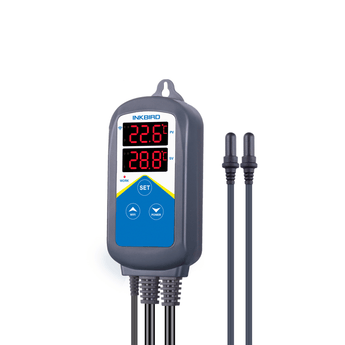
Credit: inkbird.com
Future Trends In Aquarium Monitoring
Wi-Fi connected aquarium thermometers are becoming more advanced. They help in monitoring aquariums with ease. Let’s explore future trends in this technology.
These trends include AI, integration with sensors, and better user interfaces. These will make aquarium care more efficient and user-friendly.
Ai And Predictive Analytics
AI can predict changes in water temperature. It can alert owners before problems occur. This helps in maintaining a healthy environment for fish.
Predictive analytics use data to forecast future conditions. This means fewer surprises for aquarium owners.
Integration With Other Sensors
Aquarium thermometers can work with other sensors. They can measure pH, salinity, and water levels too. This integration provides a complete picture of aquarium health.
- Temperature sensors
- pH sensors
- Salinity sensors
- Water level sensors
Enhanced User Interfaces
User interfaces are becoming more intuitive. They provide easy-to-understand data for aquarium owners. This makes monitoring fun and stress-free.
With clear visuals and alerts, users can act quickly. This helps in preventing issues and keeping fish healthy.
Frequently Asked Questions
What Is A Wi-fi Connected Aquarium Thermometer?
A Wi-Fi connected aquarium thermometer monitors water temperature remotely. It sends real-time data to your phone or device. This helps maintain optimal conditions for aquatic life.
How Does Wi-fi Aquarium Thermometer Improve Fish Care?
It provides instant temperature alerts and historical data tracking. This helps prevent temperature fluctuations that stress fish. Early warnings allow quick action to protect your aquarium.
Are Wi-fi Aquarium Thermometers Easy To Install?
Yes, most models are user-friendly with simple setup guides. They connect to your home Wi-Fi and sync with an app. No advanced technical skills are needed.
Can I Monitor Multiple Tanks With One Device?
Many Wi-Fi thermometers support multiple sensors for different tanks. You can track several aquariums through one app interface. This is ideal for hobbyists with multiple setups.
Conclusion
Wi-Fi connected aquarium thermometers make fish care simple. They show real-time water temperature on your phone. No need to open the tank often. This helps keep fish safe and healthy. You can check temperatures anytime, anywhere. It saves time and reduces stress.
These devices bring convenience to aquarium lovers. A small tool with big benefits. Try one to keep your aquarium perfect. Easy to use and very helpful. Smart care for your underwater friends.